
Introduction
Here’s something most website owners don’t want to hear: the reason your site isn’t ranking usually isn’t bad luck, a “broken” algorithm, or unfair competition. It’s almost always a handful of fixable SEO mistakes quietly working against you in the background.
These mistakes matter because Google doesn’t need to guess whether your site deserves to rank — technical errors, thin content, and weak trust signals give it every reason not to. The good news is that fixing them tends to produce some of the fastest, most reliable traffic gains available, precisely because you’re removing obstacles rather than starting from zero.
In this guide, you’ll learn the most damaging common SEO mistakes happening right now, organized by technical, on-page, off-page, content, local, and AI-related categories — plus a 30-point audit checklist, the best tools to catch these issues, a realistic case study, and 20 expert tips to keep your rankings climbing in 2026.
What Are SEO Mistakes?
SEO mistakes are actions (or missed actions) on your website that actively prevent search engines from properly crawling, understanding, or trusting your content — directly limiting how well it can rank.
Why they matter: Even one or two significant mistakes — like blocking Googlebot in robots.txt, or publishing duplicate title tags across dozens of pages — can silently cap your entire site’s ranking potential, no matter how good your content strategy is otherwise.
Impact on rankings: SEO mistakes typically show up as stalled traffic, sudden ranking drops, pages that never get indexed, or high bounce rates despite decent content — all signals that something structural is holding your site back
15 Common SEO Mistakes (In Detail)
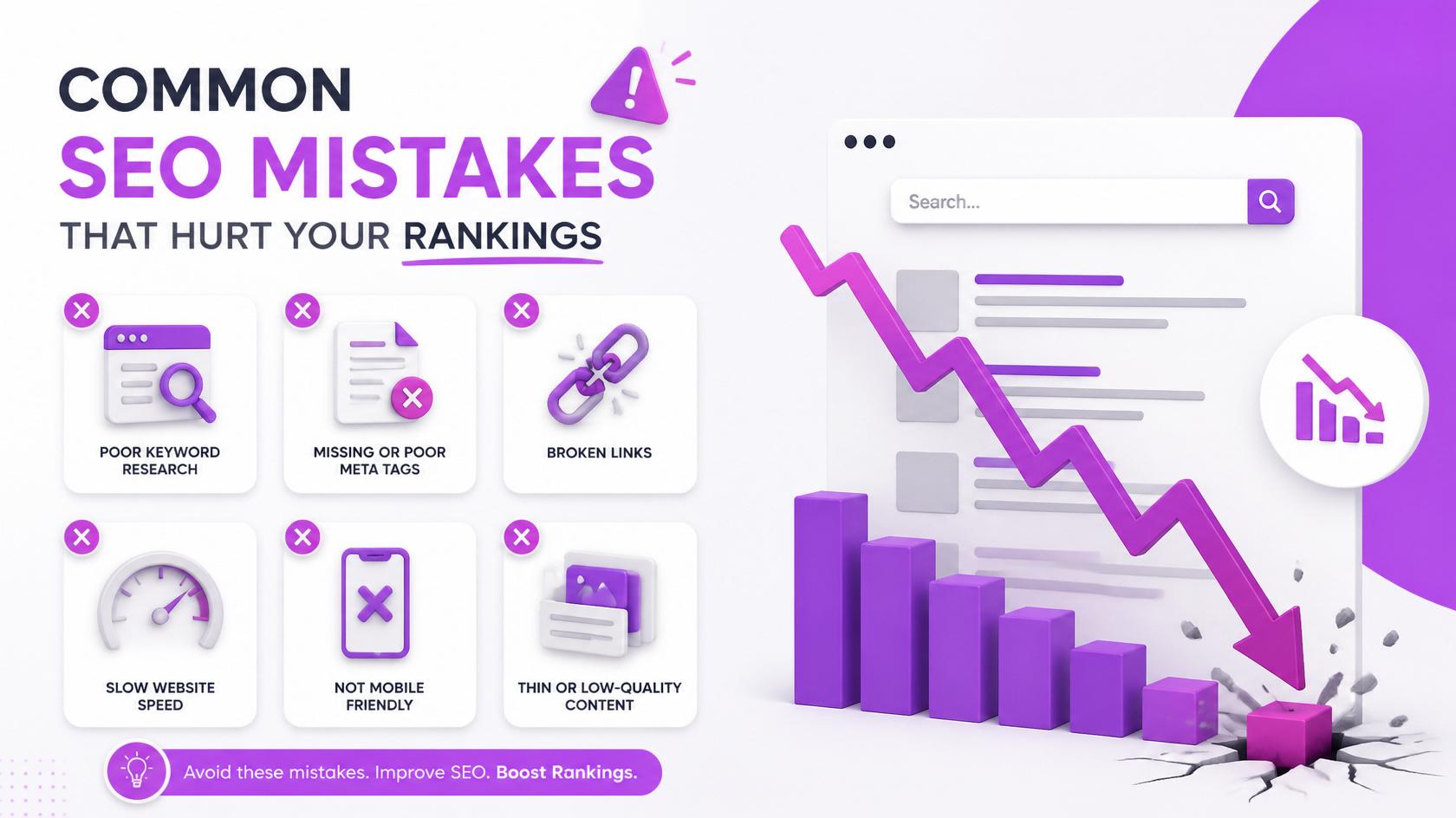
1. Ignoring Keyword Research
What it is: Publishing content based on guesswork instead of actual search data. Why it hurts rankings: You risk targeting terms nobody searches for, or terms far too competitive for your site’s current authority. Example: A new blog targets “marketing” instead of “content marketing tips for small bakeries.” How to fix it: Use tools like Google Keyword Planner or Ahrefs to validate search volume and difficulty before writing. > Pro Tip: Prioritize long-tail keywords early on — they’re easier to rank for and often convert better.
2. Keyword Stuffing
What it is: Repeating a keyword unnaturally throughout a page. Why it hurts rankings: Modern algorithms detect and penalize unnatural repetition, and it damages readability. Example: “Our SEO mistakes guide covers SEO mistakes so you can fix SEO mistakes and avoid SEO mistakes.” How to fix it: Use your focus keyword naturally, and rely on synonyms and related terms instead of repetition. > Pro Tip: Read your content aloud — if it sounds robotic, it’s stuffed.
3. Duplicate Content
What it is: Identical or near-identical content appearing on multiple URLs. Why it hurts rankings: Confuses search engines about which version to rank, splitting authority between pages. Example: Product pages with only the color changed, but otherwise identical descriptions. How to fix it: Use canonical tags, consolidate similar pages, or rewrite each page with unique, valuable content.
4. Thin Content
What it is: Pages with very little substantive information. Why it hurts rankings: Google’s Helpful Content systems specifically deprioritize pages that don’t sufficiently answer the searcher’s question. Example: A 150-word “guide” attempting to compete with 2,000-word in-depth articles. How to fix it: Expand content with genuine depth, examples, and answers to related questions — not filler.
5. Poor Search Intent Matching
What it is: Content format doesn’t match what searchers actually want. Why it hurts rankings: Even well-written content underperforms if it’s the wrong format for the query. Example: Publishing a product page for a keyword where all top results are comparison guides. How to fix it: Study the current top 10 ranking pages before creating new content.
6. Missing or Duplicate Title Tags
What it is: Pages without a unique, optimized title tag. Why it hurts rankings: Title tags are one of the strongest on-page relevance signals and directly affect click-through rate. How to fix it: Write a unique title under 60 characters for every page, with the focus keyword near the front.
7. Weak Meta Descriptions
What it is: Missing, generic, or duplicate meta descriptions. Why it hurts rankings: While not a direct ranking factor, weak descriptions reduce click-through rate significantly. How to fix it: Write a compelling, unique 150–160 character summary for every important page.
8. Multiple H1 Tags / Poor Heading Structure
What it is: Using more than one H1, or a disorganized H2/H3 hierarchy. Why it hurts rankings: Confuses both users and search engines about your page’s structure and main topic. How to fix it: Use exactly one H1 per page, followed by a logical, nested H2/H3 structure.
9. Broken Links
What it is: Internal or external links pointing to pages that no longer exist. Why it hurts rankings: Wastes crawl budget and creates a poor user experience. How to fix it: Run regular audits with Screaming Frog or Google Search Console and fix or redirect broken links.
10. Slow Website Speed
What it is: Pages that take too long to load. Why it hurts rankings: Speed is a confirmed ranking factor and directly increases bounce rate. How to fix it: Compress images, enable caching, and minimize unnecessary scripts.
11. Core Web Vitals Issues
What it is: Poor scores on Largest Contentful Paint, Interaction to Next Paint, or Cumulative Layout Shift. Why it hurts rankings: These are direct page experience ranking signals. How to fix it: Test with PageSpeed Insights and prioritize fixes with the largest impact first.
12. Mobile Usability Problems
What it is: A site that doesn’t work well on mobile devices. Why it hurts rankings: Google uses mobile-first indexing, so your mobile experience is what actually gets evaluated. How to fix it: Use responsive design and test regularly on real mobile devices.
13. Missing Image Optimization (Large Files, No Alt Text)
What it is: Uncompressed images and missing descriptive alt text. Why it hurts rankings: Slows page speed and misses image-search visibility opportunities. How to fix it: Compress every image and add clear, descriptive alt text.
14. No Internal Linking
What it is: Pages that aren’t linked to from other relevant content on your site. Why it hurts rankings: Creates “orphan pages” that are harder for Google to discover and rank. How to fix it: Regularly interlink new content with relevant existing pages using descriptive anchor text.
15. Bad URL Structure
What it is: Long, unclear, or parameter-heavy URLs. Why it hurts rankings: Reduces clarity for both users and search engines. How to fix it: Use short, descriptive, hyphen-separated URLs.
Technical SEO Mistakes
Beyond the detailed mistakes above, several additional technical issues are worth a dedicated look:
- Crawlability & Indexability – Ensure Googlebot can actually access and index your important pages; check for accidental “noindex” tags.
- Canonical URL Errors – Incorrect or conflicting canonical tags can cause Google to index the wrong version of a page.
- HTTPS Issues – Missing or improperly configured HTTPS undermines a baseline trust and ranking requirement.
- Schema Markup Errors – Invalid structured data can prevent rich snippet eligibility entirely; validate regularly.
- JavaScript Rendering Problems – Content that only loads via JavaScript may not be fully seen by search engines if not implemented carefully.
- Crawl Budget Waste – Large sites with excessive low-value pages (filters, duplicate parameters) can waste crawl budget that should go toward important content.
On-Page SEO Mistakes
- Keyword Placement Errors – Missing the focus keyword from the title, first paragraph, or key headings.
- Weak Content Quality – Content that’s technically optimized but doesn’t genuinely help the reader.
- Poor Header Tag Usage – Skipping heading levels or using headings purely for visual styling rather than structure.
- Missing Internal Links – On-page content that fails to connect to related pages, missing an easy authority-building opportunity.
- Image SEO Neglect – Ignoring file names, alt text, and compression on page visuals.
Off-Page SEO Mistakes
- Spam Backlinks & Link Farms – Links from low-quality, irrelevant networks built purely for manipulation.
- Anchor Text Over-Optimization – Using the exact same keyword-rich anchor text across too many backlinks, which can look unnatural.
- Negative SEO Vulnerability – Not monitoring your backlink profile for malicious links built by competitors.
- Lack of Link Diversity – Relying on a single type of link (e.g., only directories) instead of a natural mix of sources.
- No Authority-Building Strategy – Treating off-page SEO as an afterthought instead of an ongoing outreach and PR effort.
Content SEO Mistakes
- Thin or Duplicate Content – Covered above, but worth reinforcing as one of the most damaging content issues.
- Outdated Information – Stale statistics or examples that undermine trust and relevance.
- Poor Readability – Long, dense paragraphs that are difficult to scan, especially on mobile.
- Missing FAQs – Skipping a chance to capture “People Also Ask” visibility and voice search queries.
- Weak Introductions – Failing to hook the reader or clearly explain what the page will cover.
- Missing Calls-to-Action – Leaving readers without a clear next step after consuming your content.
- No Real Examples – Purely theoretical content without practical, real-world illustrations.
Local SEO Mistakes
- Incomplete Google Business Profile – Missing hours, categories, photos, or descriptions.
- NAP Inconsistency – Different name, address, or phone number listed across directories.
- Missing Local Citations – Not being listed on relevant local and industry directories.
- Ignoring Reviews – Failing to actively generate or respond to customer reviews.
- No Local Keyword Targeting – Using only generic keywords instead of location-specific phrases.
AI SEO Mistakes
- Publishing AI Content Without Editing – Posting raw AI output without fact-checking, editing, or adding original insight.
- No Human Expertise Layer – Missing the first-hand experience and professional judgment that differentiates genuinely helpful content.
- Lack of EEAT Signals – Failing to add author credentials, sourcing, or evidence of real expertise.
- Hallucinated Information – Publishing inaccurate facts or statistics generated by AI without verification.
- Generic, Templated Content – Content that reads identically to thousands of other AI-generated pages on the same topic.
- Missing Originality – No unique data, perspective, or experience that couldn’t be produced by any other website.
Pro Tip: AI tools are excellent for speeding up research and first drafts — but the pages that rank best in 2026 always have a clear layer of genuine human expertise and editing on top.
Frequently Asked Questions
- What are the biggest SEO mistakes? The most damaging mistakes typically include poor search intent matching, thin or duplicate content, slow page speed, weak backlink quality, and technical indexing errors.
- Can SEO mistakes lower rankings? Yes. Many mistakes — like toxic backlinks, duplicate content, or blocked crawling — can actively cause ranking drops, not just prevent growth.
- How often should I perform an SEO audit? A full audit every quarter, with lighter monthly check-ins on Core Web Vitals and Search Console data, works well for most websites.
- How do I identify technical SEO issues? Use tools like Google Search Console and Screaming Frog to crawl your site and surface indexing errors, broken links, and duplicate tags.
- Is duplicate content harmful? Yes — it splits ranking signals between pages and can confuse search engines about which version to rank.
- Does website speed affect SEO? Yes. Page speed is a confirmed ranking factor and also directly impacts bounce rate and conversions.
- Can AI-generated content rank? Yes, but only when it’s fact-checked, edited, and layered with genuine human expertise — raw, unedited AI content tends to underperform.
- How many keywords should a page target? Focus on one primary keyword per page, supported naturally by a handful of closely related semantic keywords.
- How important is internal linking? Very important — it helps search engines discover and understand page relationships, and spreads authority across your site.
- What is keyword cannibalization? It’s when multiple pages on your site target the same keyword, causing them to compete against each other instead of one page ranking strongly.
Conclusion
Most ranking problems aren’t mysterious — they’re the accumulated result of a handful of common SEO mistakes quietly holding your website back. The good news is that every mistake covered in this guide, from technical indexing errors to thin content and toxic backlinks, is entirely fixable with a clear, methodical approach.
Start by auditing your website against the 30-point checklist above, fix the highest-impact issues first, and commit to monitoring performance and refreshing content regularly. SEO rewards consistency far more than perfection — the sites that keep auditing, fixing, and improving are the ones that keep climbing.
Found this guide useful? Share it with someone still wondering why their website isn’t ranking, and start working through your own SEO audit today — your future traffic will thank you.