Author name: azmat

Affiliate Marketing Strategies

Blogging Strategies to Boost Affiliate Sales

Introduction You’ve published affiliate blog posts. You’ve dropped your links in naturally, added a call-to-action, maybe even followed a checklist from a “how to start affiliate marketing” guide. And yet, month after month, your affiliate dashboard still shows close to nothing. Here’s the uncomfortable truth: most affiliate blogs don’t fail because affiliate marketing doesn’t work — they fail because blogging strategies to boost affiliate sales require far more than simply placing links inside decent content. Weak niche selection, thin reviews, ignored search intent, and zero trust-building all quietly sink otherwise promising blogs before they ever get a fair chance. The good news is that this is entirely fixable. In this guide, you’ll learn exactly how affiliate blogging actually works, why most affiliate blogs struggle, how to choose a niche and affiliate programs that set you up to win, keyword research built specifically for buyer intent, how to write product reviews and content that genuinely convert, SEO and trust-building strategies, and a full 30-day action plan to put it all into practice. Let’s fix what’s actually holding your affiliate income back. What is Affiliate Blogging? Affiliate blogging is the practice of publishing content — reviews, guides, comparisons, tutorials — that recommends products or services through unique affiliate links, earning a commission whenever a reader makes a qualifying purchase. How It Works A blogger joins an affiliate program, receives a unique tracking link, and embeds that link naturally within helpful content. When a reader clicks the link and completes a purchase (within the program’s cookie window), the blogger earns a commission — typically a percentage of the sale or a fixed fee. Benefits Low startup costs compared to creating your own products Scalable, largely passive income once content is published and ranking Flexibility to promote products across nearly any niche No customer service or fulfillment responsibilities Real-World Example A blog reviewing budget kitchen appliances might earn a commission every time a reader clicks through to Amazon and purchases the recommended blender — with no need to manufacture, ship, or support the product directly. Why Most Affiliate Blogs Fail Poor SEO – Content that’s never found by searchers can’t convert anyone. Thin Content – Short, generic reviews fail to build the confidence needed for a purchase decision. Wrong Niche – Highly saturated or extremely low-commission niches make growth unnecessarily difficult. Too Many Affiliate Links – Overloading posts with links feels manipulative and reduces trust. No Trust – Readers won’t click links from a blog that feels impersonal or unverified. No Audience Research – Writing about what you assume readers want, instead of what they’re actually searching for. Ignoring User Intent – Publishing the wrong content format for a given keyword’s actual intent. No Email List – Relying entirely on search traffic instead of building a reusable audience asset. Weak CTAs – Vague or buried calls-to-action that never actually prompt a click. Poor Website Speed – Slow-loading pages increase bounce rate before readers ever reach your links. Keyword Research for Affiliate Blogs Affiliate blogging depends heavily on targeting the right type of keyword, not just any keyword with search volume. Commercial Keywords – Terms showing purchase consideration, like “best budget blender.” Buyer Keywords – Highly specific, ready-to-purchase phrases, like “buy online.” Long-Tail Keywords – Longer, specific phrases with lower competition, like “best blender for smoothies under $100.” Low Competition Keywords – Terms realistic for newer sites to rank for while authority builds. Search Intent – Understanding whether a keyword calls for a review, comparison, or general guide. Recommended Tools Google Keyword Planner – Free volume data, useful for initial keyword validation. Ahrefs – Detailed keyword difficulty and competitor keyword gaps. Semrush – All-in-one keyword and content gap analysis. Ubersuggest – Budget-friendly keyword ideas for beginners. Google Search Console – Reveals which queries you’re already ranking for, often surfacing quick-win opportunities. Writing Product Reviews That Convert Ideal Review Structure Brief introduction addressing the reader’s specific problem or goal Quick verdict or summary for skimmers Key features and specifications Pros and cons, presented honestly Personal experience or testing details, where possible Comparison to relevant alternatives Who should buy it, and who shouldn’t Clear, well-placed call-to-action What Makes a Review Convert Pros and Cons – Balanced, honest assessments build far more trust than purely positive reviews. Features – Clear, specific details rather than vague marketing language. Personal Experience – First-hand usage details (even brief ones) significantly boost credibility. Alternatives – Mentioning competing options shows genuine, unbiased research. Who Should/Shouldn’t Buy – Helps readers self-select with confidence, reducing returns and increasing trust. CTA Placement – Include a clear call-to-action after the verdict, after the pros/cons, and at the article’s end. SEO Strategies for Affiliate Blogs On-Page SEO – Optimized titles, headings, and natural keyword placement throughout each review or guide. Technical SEO – Fast load times, mobile-friendliness, and clean site structure so content can actually be found. Internal Linking – Connect related reviews, comparisons, and guides to strengthen topical relevance. External Linking – Link to manufacturer specs or authoritative sources to support your claims. Topical Authority – Cover a niche comprehensively across multiple interlinked posts, not just isolated reviews. Schema Markup – Use Review and Product schema where appropriate to unlock rich snippets. Image SEO – Original product photos with descriptive alt text improve both trust and search visibility. Core Web Vitals – Fast, stable-loading pages reduce bounce rate before readers reach your links. Featured Snippets – Structure key comparisons and answers concisely to increase snippet eligibility. Topical Clusters – Build pillar buying guides supported by individual product review posts. Content Marketing Strategies Publish Consistently – A realistic, sustainable schedule beats sporadic bursts of content. Update Old Content – Refresh reviews and prices regularly, especially for fast-changing products. Build Topical Authority – Expand comprehensively within your niche rather than spreading too thin. Create Content Clusters – Interlink pillar guides with supporting review and comparison posts. Repurpose Content – Turn blog posts into social media content, email newsletters, or short videos. Guest Blogging – Build backlinks and referral

Trending & High-Traffic Topics

Make Money Online

Introduction Here’s a question worth sitting with: what if your laptop could realistically become a second income stream this year? It’s not a far-fetched idea anymore — the creator economy, remote freelance work, and AI-powered side hustles have made making money online more accessible in 2026 than at almost any point before. The shift is real. AI tools now let one person do the work that used to require a small team. Remote jobs have normalized location-independent income. Freelancing platforms connect beginners with global clients within days, not months. And the creator economy continues rewarding anyone willing to consistently show up with something genuinely useful to share. This guide covers 25 proven ways to make money online in 2026, organized for every experience level — from complete beginners with zero investment, to advanced earners ready to build scalable digital businesses. You’ll get realistic income expectations, the skills and platforms that matter most, the AI tools accelerating this shift, common beginner mistakes, and a practical 30/60/90-day roadmap to get started. Let’s get into it. What is Making Money Online? Making money online means earning income through internet-based work, products, or services — ranging from freelance gigs and content creation to selling digital products and building online businesses. How It Works Most online income falls into a few core categories: trading time for money (freelancing, remote jobs), building an audience that generates revenue (blogging, YouTube, social media), selling products or services (e-commerce, digital products, courses), or building systems that earn with less ongoing effort (affiliate marketing, passive digital products). Benefits Flexible schedule and location independence Low startup costs compared to traditional businesses Scalable income potential beyond a fixed salary Access to global clients and markets Common Misconceptions “It’s instant money” – Nearly every legitimate method takes weeks or months of consistent effort before meaningful income appears. “You need to be technical” – Many profitable paths (freelancing, virtual assistance, content creation) require no coding at all. “Passive income means no work” – Most “passive” income requires significant upfront effort before it becomes low-maintenance. Why More People Are Earning Online in 2026 AI – Tools like ChatGPT and Claude let solo earners produce content, code, and services faster than ever. Remote Jobs – Companies increasingly hire globally, expanding opportunity beyond local job markets. Digital Economy – More commerce, education, and services have shifted permanently online. Freelancing – Platforms have matured, making it easier to find consistent client work. Creator Economy – Audiences increasingly support independent creators directly through content, products, and memberships. Detailed Breakdown Freelancing — Offer services like writing, design, or programming directly to clients. Skills: Any marketable skill plus communication. Tip: Build a focused portfolio around one specialty rather than listing everything you can do. Common mistake: Underpricing services early on and struggling to raise rates later. Blogging — Publish content around a niche topic and monetize through ads, affiliate links, or products. Skills: Writing, basic SEO. Tip: Pick a niche you can write about consistently for a year or more. Common mistake: Abandoning a blog after a few months before SEO traction builds. Affiliate Marketing — Earn commissions promoting other companies’ products through unique referral links. Skills: Content creation, audience building. Tip: Only promote products you’d genuinely recommend — trust drives long-term conversions. Common mistake: Promoting too many unrelated products, diluting audience trust. Dropshipping — Sell products online without holding inventory; a supplier ships directly to customers. Skills: Marketing, basic e-commerce management. Tip: Focus on a specific product niche rather than a broad general store. Common mistake: Ignoring supplier reliability and shipping times. Print on Demand — Sell custom-designed merchandise that’s printed and shipped only after a sale. Skills: Basic design, niche research. Tip: Validate designs with small test batches before heavy marketing spend. Common mistake: Ignoring print quality and mockup accuracy. YouTube — Build a channel monetized through ads, sponsorships, and products. Skills: Video editing, on-camera or voiceover presence. Tip: Consistency and a clear content niche matter more than production perfection early on. Common mistake: Constantly switching niches before an audience can form. Instagram Creator — Build an audience and monetize through sponsorships, affiliate links, and products. Skills: Visual content creation, engagement. Tip: Prioritize a consistent aesthetic and posting schedule. Common mistake: Focusing only on follower count instead of genuine engagement. TikTok Creator — Build short-form video content monetized through the platform’s creator programs, sponsorships, and product sales. Skills: Short-form storytelling, trend awareness. Tip: Study trending formats but adapt them to your specific niche. Common mistake: Copying trends without adding any original angle. Content Writing — Write articles, blog posts, or web copy for clients or publications. Skills: Strong writing, research, basic SEO knowledge. Tip: Specialize in a profitable niche like finance, health, or technology. Common mistake: Not building a portfolio before pitching higher-paying clients. Graphic Design — Create logos, social media graphics, or marketing materials for clients. Skills: Design software proficiency, visual communication. Tip: Build a focused portfolio showcasing your best niche work. Common mistake: Undercharging to win early clients, then struggling to raise prices. Beginner-Friendly Online Income Ideas If you’re just starting out, prioritize low-investment, low-complexity methods first: freelance writing or virtual assistance (minimal upfront skill barrier), online tutoring in a subject you already know well, or selling simple digital products like printables. These paths let you start earning while you build more advanced skills over time. Online Income Without Investment Several methods above require essentially no upfront money — just time and effort: Freelance writing, virtual assistance, or social media management using free tools and existing skills Content creation on YouTube, Instagram, or TikTok using just a smartphone Blogging on free or low-cost platforms while building an audience Affiliate marketing through existing social media profiles Realistic expectation: Zero-investment methods still require significant time investment before generating meaningful income — there’s no genuinely free shortcut to fast money. Passive Income Ideas Blogging – Ad and affiliate revenue continues from older posts long after publishing. YouTube – Older videos keep generating ad revenue and driving new subscribers. Affiliate

Artificial inteligence

Artificial Intelligence Explained

Introduction Here’s something worth sitting with for a second: you’ve probably interacted with artificial intelligence at least a dozen times today already — unlocking your phone with your face, scrolling a feed that predicts what you’ll want to see next, or asking a voice assistant for the weather. According to Stanford’s AI Index, AI investment and adoption have grown dramatically over the past few years, and that trend shows no signs of slowing down in 2026. Artificial Intelligence explained simply means teaching machines to perform tasks that normally require human intelligence — recognizing patterns, understanding language, making decisions, and even creating original content. It’s no longer science fiction or a distant future technology; it’s already reshaping healthcare, education, business, and everyday life right now. This guide is built for complete beginners. By the end, you’ll understand what AI actually is, how it works under the hood, the different types of AI, the difference between AI, machine learning, and deep learning, real-world examples across every major industry, the best AI tools available in 2026, common myths worth debunking, and even how to start a career in AI if you’re curious to go further. No confusing jargon — just clear, practical explanations. What is Artificial Intelligence? Artificial Intelligence (AI) is the field of computer science focused on building machines and software that can perform tasks typically requiring human intelligence — including learning, reasoning, problem-solving, understanding language, and recognizing patterns. A Brief History of AI The term “artificial intelligence” was coined back in 1956 at a small academic workshop at Dartmouth College, where researchers first proposed that machines could be made to simulate aspects of human intelligence. Progress moved in waves over the following decades — periods of rapid optimism followed by “AI winters” when funding and interest cooled. The field re-accelerated dramatically with the rise of deep learning in the 2010s, and again with the explosion of generative AI tools like ChatGPT starting in the early 2020s. The Evolution of AI 1950s–1980s: Early rule-based systems and symbolic reasoning. 1990s–2000s: Machine learning emerges, allowing systems to learn from data rather than fixed rules. 2010s: Deep learning and neural networks unlock breakthroughs in image and speech recognition. 2020s: Generative AI brings conversational assistants, image generators, and coding tools into mainstream daily use. Why AI Matters Today AI matters because it’s no longer confined to research labs — it’s embedded in the tools businesses and individuals use every day, from customer support chatbots to medical diagnostic assistance and financial fraud detection. According to McKinsey’s research on AI adoption, a majority of organizations now report using AI in at least one business function, a figure that continues climbing year over year. How Does Artificial Intelligence Work? At a basic level, AI systems work by finding patterns in large amounts of data using mathematical algorithms, then using those patterns to make predictions or decisions on new information. Data Data is the raw material of AI — text, images, numbers, or sound that a system learns from. The more relevant, high-quality data available, the better an AI system can typically perform. Algorithms Algorithms are the step-by-step mathematical instructions that process data and identify patterns. Different algorithms suit different tasks, from simple statistical models to complex neural networks. Neural Networks Inspired loosely by the human brain, neural networks are layered structures of interconnected “nodes” that process information, adjusting internal weights as they learn from data — similar to how repeated practice strengthens certain neural pathways in humans. Machine Learning Machine learning is a subset of AI where systems learn patterns from data rather than being explicitly programmed with fixed rules. Example: An email spam filter that improves over time as it learns from examples of spam versus legitimate email. Deep Learning Deep learning is a subset of machine learning that uses neural networks with many layers (“deep” networks) to handle much more complex patterns, such as recognizing faces in photos or understanding spoken language. How Generative AI Works Generative AI refers to AI systems capable of creating new content — text, images, video, music, or code — rather than simply analyzing or classifying existing data. ChatGPT – A conversational AI model built by OpenAI, widely used for writing, brainstorming, and answering questions. Claude – Anthropic’s AI assistant, known for strong long-form reasoning, writing, and document analysis. Gemini – Google’s AI model, deeply integrated with Google Search and its broader product ecosystem. Image Generation – Tools like Midjourney and Adobe Firefly create original images from text descriptions. Video Generation – Emerging tools can generate short video clips or realistic avatars from text or images. Music AI – AI systems can compose original music or generate backing tracks from simple prompts. Real-Life Examples of Artificial Intelligence Healthcare – AI assists in medical image analysis, early disease detection, and drug discovery research. Education – Personalized learning platforms adapt lessons to each student’s pace and comprehension level. Finance – Fraud detection systems flag unusual transaction patterns in real time. Banking – Chatbots handle routine customer inquiries, while AI models assess credit risk. Retail – Recommendation engines suggest products based on browsing and purchase history. Manufacturing – Predictive maintenance AI identifies equipment issues before they cause costly downtime. Transportation – Route optimization and early self-driving technology rely heavily on AI systems. Benefits of Artificial Intelligence Improved Productivity – Automating repetitive tasks frees up time for higher-value work. Automation – Routine processes can run with minimal human intervention. Better Decisions – Data-driven insights support more informed business and personal decisions. Higher Efficiency – AI can process and analyze information far faster than manual methods. Personalization – Recommendations and experiences tailored to individual preferences. Lower Costs – Automation can reduce operational costs over time. Innovation – AI enables entirely new products and services that weren’t previously possible. Better Customer Experience – Faster response times and more relevant support interactions. Disadvantages of Artificial Intelligence Job Displacement – Automation can eliminate certain roles, requiring workforce reskilling. Privacy Concerns – AI systems often rely on large amounts of

SEO

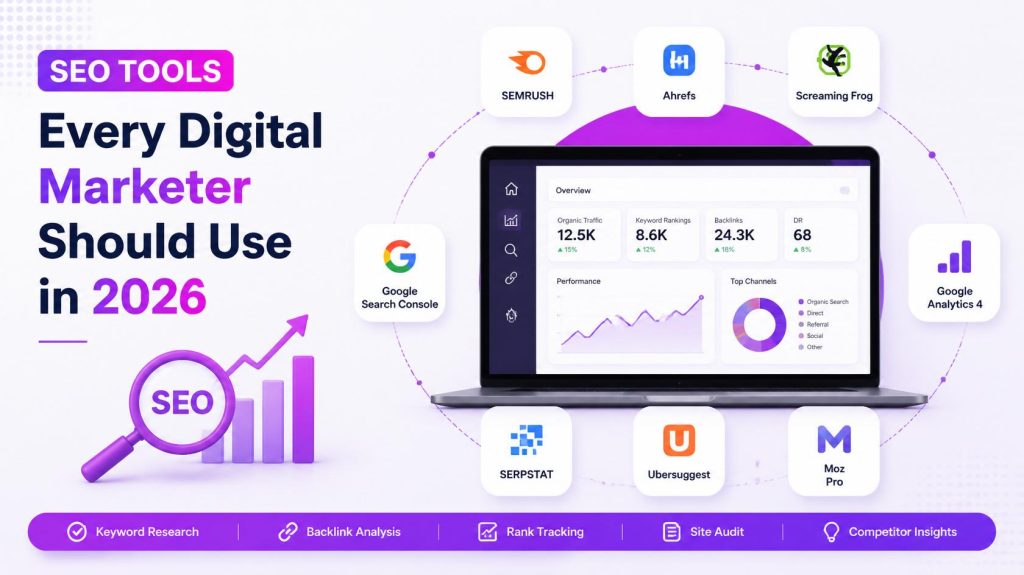
SEO Tools Every Digital Marketer Should Use in 2026

Introduction SEO in 2026 is more competitive — and more automated — than it’s ever been. Google’s algorithms now lean heavily on AI to interpret content, backlink profiles are scrutinized more carefully than ever, and Core Web Vitals, semantic SEO, and entity understanding all demand data most marketers simply can’t track by hand. Trying to compete without the right tools today is a bit like trying to navigate a new city without a map — technically possible, but far slower and far less accurate than it needs to be. At the same time, AI itself has become part of the toolkit. Tools like ChatGPT, Claude, and Gemini now sit alongside traditional SEO platforms, reshaping how marketers do keyword research, build content briefs, and even predict ranking opportunities. Choosing the right combination of tools — not too many, not too few — has become its own skill. This guide is designed to be the only resource you need on SEO tools every digital marketer should use in 2026. You’ll learn what SEO tools actually do, why they matter more than ever, every major category of tool available, detailed breakdowns of the top platforms, free vs paid comparisons, how AI is changing the toolkit, how to choose the right stack for your specific situation, and the most common mistakes marketers make when relying on tools. Let’s dive in. What Are SEO Tools? SEO tools are software platforms that help marketers research, analyze, optimize, and track a website’s search engine performance — covering everything from keyword discovery to technical audits, backlink analysis, and rank tracking. Why They Matter They replace manual guesswork with real data. They save enormous amounts of time on repetitive analysis. They reveal opportunities — and problems — competitors and clients would otherwise never see. They allow marketers to measure results and prove ROI clearly. How They Help Marketers A good SEO tool doesn’t just report data — it turns that data into a clear next action, whether that’s fixing a broken link, targeting an untapped keyword, or building a backlink outreach list. A Quick Real-World Scenario Imagine two marketers launching similar blogs on the same day. One writes purely by instinct, guessing at topics and titles. The other spends thirty minutes in a keyword research tool, checks Google Search Console weekly, and runs a technical audit before publishing anything major. Six months later, the second marketer typically isn’t just ranking higher — they’re doing it with less wasted effort, because every piece of content was built around actual data instead of guesswork. That gap is exactly what the right SEO tools are designed to close. Why SEO Tools Are Essential in 2026 AI Search – Understanding how your content performs in AI Overviews requires tracking beyond traditional rankings. Google Updates – Frequent algorithm changes make ongoing monitoring essential, not optional. Core Web Vitals – Page experience metrics require dedicated technical tools to diagnose and fix. Voice Search – Conversational query tracking needs tools built for long-tail, question-based keywords. Semantic & Entity SEO – Modern content tools help ensure topical completeness, not just keyword coverage. Automation – Reporting, rank tracking, and auditing at scale simply aren’t feasible manually anymore. Data Analysis – Understanding user behavior requires dedicated analytics platforms. Content Optimization – Tools that benchmark your content against top-ranking competitors save significant guesswork. Competitor Research – Understanding what’s already working for competitors shortcuts your own strategy significantly. Top SEO Tools Every Digital Marketer Should Use Google Search Console Overview: Google’s free, direct window into how your site performs in search. Features: Indexing status, performance reports, manual actions, Core Web Vitals data. Best For: Every website owner, regardless of size or budget. Pros: Free, direct from Google, essential diagnostic data. Cons: Limited keyword volume data, no competitor insights. Pricing: Free. Rating: 5/5 for essential monitoring. Alternatives: Bing Webmaster Tools. > Expert Tip: Check the Coverage and Core Web Vitals reports monthly — they’re often the first place ranking problems show up. Google Analytics 4 Overview: Google’s traffic and behavior analytics platform. Features: User behavior tracking, conversion tracking, audience insights. Best For: Understanding what happens after a visitor lands on your site. Pros: Free, deeply integrated with Google Ads and Search Console. Cons: Steeper learning curve than the older Universal Analytics. Pricing: Free (paid GA360 tier for enterprises). Rating: 4.5/5. Alternatives: Plausible, Matomo. Ahrefs Overview: A leading all-in-one SEO platform, especially strong for backlink analysis. Features: Site Explorer, Keywords Explorer, Content Explorer, Site Audit. Best For: Off-page SEO, competitor backlink research. Pros: Extremely detailed backlink database, powerful competitor research. Cons: Premium pricing, learning curve for beginners. Pricing: Paid, starting at a mid-tier monthly plan. Rating: 4.8/5. Alternatives: Semrush, Majestic. > Expert Tip: Use the Content Gap tool to find keywords competitors rank for that you don’t yet target. Semrush Overview: A comprehensive all-in-one SEO and digital marketing suite. Features: Keyword research, site audits, rank tracking, PPC and content tools. Best For: Agencies managing multiple clients and channels. Pros: Extremely broad feature set beyond just SEO. Cons: Can feel overwhelming for solo bloggers or beginners. Pricing: Paid, tiered plans for freelancers through enterprises. Rating: 4.7/5. Alternatives: Ahrefs, SE Ranking. Moz Pro Overview: A long-standing SEO platform known for Domain Authority metrics and beginner-friendly tools. Features: Keyword Explorer, Link Explorer, Site Crawl, MozBar browser extension. Best For: Beginners and intermediate marketers wanting an approachable interface. Pros: User-friendly, strong educational resources. Cons: Smaller backlink index compared to Ahrefs. Pricing: Paid, with limited free tools available. Rating: 4.3/5. Alternatives: Ahrefs, Semrush. Screaming Frog SEO Spider Overview: A desktop crawler that audits websites for technical SEO issues. Features: Crawls URLs, titles, metadata, redirects, broken links, duplicate content. Best For: In-depth technical SEO audits. Pros: Extremely thorough, one-time purchase option available. Cons: Requires technical knowledge to interpret results fully. Pricing: Free for up to 500 URLs; paid license for unlimited crawls. Rating: 4.7/5. Alternatives: Sitebulb, Ahrefs Site Audit. > Expert Tip: Run a crawl before and after any major site migration to catch broken redirects immediately. Surfer

SEO

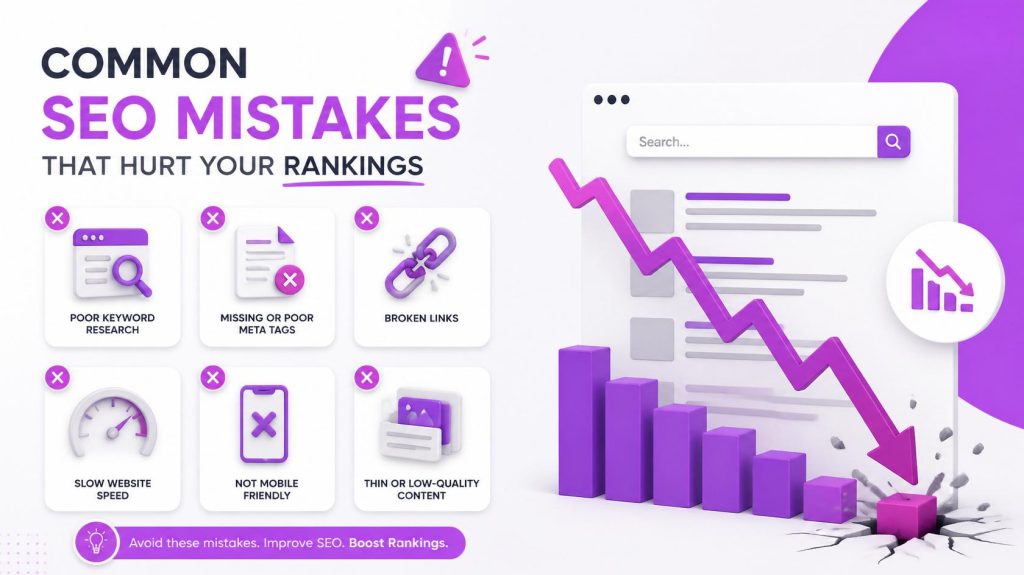
Common SEO Mistakes That Hurt Your Rankings

Introduction Here’s something most website owners don’t want to hear: the reason your site isn’t ranking usually isn’t bad luck, a “broken” algorithm, or unfair competition. It’s almost always a handful of fixable SEO mistakes quietly working against you in the background. These mistakes matter because Google doesn’t need to guess whether your site deserves to rank — technical errors, thin content, and weak trust signals give it every reason not to. The good news is that fixing them tends to produce some of the fastest, most reliable traffic gains available, precisely because you’re removing obstacles rather than starting from zero. In this guide, you’ll learn the most damaging common SEO mistakes happening right now, organized by technical, on-page, off-page, content, local, and AI-related categories — plus a 30-point audit checklist, the best tools to catch these issues, a realistic case study, and 20 expert tips to keep your rankings climbing in 2026. What Are SEO Mistakes? SEO mistakes are actions (or missed actions) on your website that actively prevent search engines from properly crawling, understanding, or trusting your content — directly limiting how well it can rank. Why they matter: Even one or two significant mistakes — like blocking Googlebot in robots.txt, or publishing duplicate title tags across dozens of pages — can silently cap your entire site’s ranking potential, no matter how good your content strategy is otherwise. Impact on rankings: SEO mistakes typically show up as stalled traffic, sudden ranking drops, pages that never get indexed, or high bounce rates despite decent content — all signals that something structural is holding your site back 15 Common SEO Mistakes (In Detail) 1. Ignoring Keyword Research What it is: Publishing content based on guesswork instead of actual search data. Why it hurts rankings: You risk targeting terms nobody searches for, or terms far too competitive for your site’s current authority. Example: A new blog targets “marketing” instead of “content marketing tips for small bakeries.” How to fix it: Use tools like Google Keyword Planner or Ahrefs to validate search volume and difficulty before writing. > Pro Tip: Prioritize long-tail keywords early on — they’re easier to rank for and often convert better. 2. Keyword Stuffing What it is: Repeating a keyword unnaturally throughout a page. Why it hurts rankings: Modern algorithms detect and penalize unnatural repetition, and it damages readability. Example: “Our SEO mistakes guide covers SEO mistakes so you can fix SEO mistakes and avoid SEO mistakes.” How to fix it: Use your focus keyword naturally, and rely on synonyms and related terms instead of repetition. > Pro Tip: Read your content aloud — if it sounds robotic, it’s stuffed. 3. Duplicate Content What it is: Identical or near-identical content appearing on multiple URLs. Why it hurts rankings: Confuses search engines about which version to rank, splitting authority between pages. Example: Product pages with only the color changed, but otherwise identical descriptions. How to fix it: Use canonical tags, consolidate similar pages, or rewrite each page with unique, valuable content. 4. Thin Content What it is: Pages with very little substantive information. Why it hurts rankings: Google’s Helpful Content systems specifically deprioritize pages that don’t sufficiently answer the searcher’s question. Example: A 150-word “guide” attempting to compete with 2,000-word in-depth articles. How to fix it: Expand content with genuine depth, examples, and answers to related questions — not filler. 5. Poor Search Intent Matching What it is: Content format doesn’t match what searchers actually want. Why it hurts rankings: Even well-written content underperforms if it’s the wrong format for the query. Example: Publishing a product page for a keyword where all top results are comparison guides. How to fix it: Study the current top 10 ranking pages before creating new content. 6. Missing or Duplicate Title Tags What it is: Pages without a unique, optimized title tag. Why it hurts rankings: Title tags are one of the strongest on-page relevance signals and directly affect click-through rate. How to fix it: Write a unique title under 60 characters for every page, with the focus keyword near the front. 7. Weak Meta Descriptions What it is: Missing, generic, or duplicate meta descriptions. Why it hurts rankings: While not a direct ranking factor, weak descriptions reduce click-through rate significantly. How to fix it: Write a compelling, unique 150–160 character summary for every important page. 8. Multiple H1 Tags / Poor Heading Structure What it is: Using more than one H1, or a disorganized H2/H3 hierarchy. Why it hurts rankings: Confuses both users and search engines about your page’s structure and main topic. How to fix it: Use exactly one H1 per page, followed by a logical, nested H2/H3 structure. 9. Broken Links What it is: Internal or external links pointing to pages that no longer exist. Why it hurts rankings: Wastes crawl budget and creates a poor user experience. How to fix it: Run regular audits with Screaming Frog or Google Search Console and fix or redirect broken links. 10. Slow Website Speed What it is: Pages that take too long to load. Why it hurts rankings: Speed is a confirmed ranking factor and directly increases bounce rate. How to fix it: Compress images, enable caching, and minimize unnecessary scripts. 11. Core Web Vitals Issues What it is: Poor scores on Largest Contentful Paint, Interaction to Next Paint, or Cumulative Layout Shift. Why it hurts rankings: These are direct page experience ranking signals. How to fix it: Test with PageSpeed Insights and prioritize fixes with the largest impact first. 12. Mobile Usability Problems What it is: A site that doesn’t work well on mobile devices. Why it hurts rankings: Google uses mobile-first indexing, so your mobile experience is what actually gets evaluated. How to fix it: Use responsive design and test regularly on real mobile devices. 13. Missing Image Optimization (Large Files, No Alt Text) What it is: Uncompressed images and missing descriptive alt text. Why it hurts rankings: Slows page speed and misses image-search visibility opportunities. How to fix

SEO

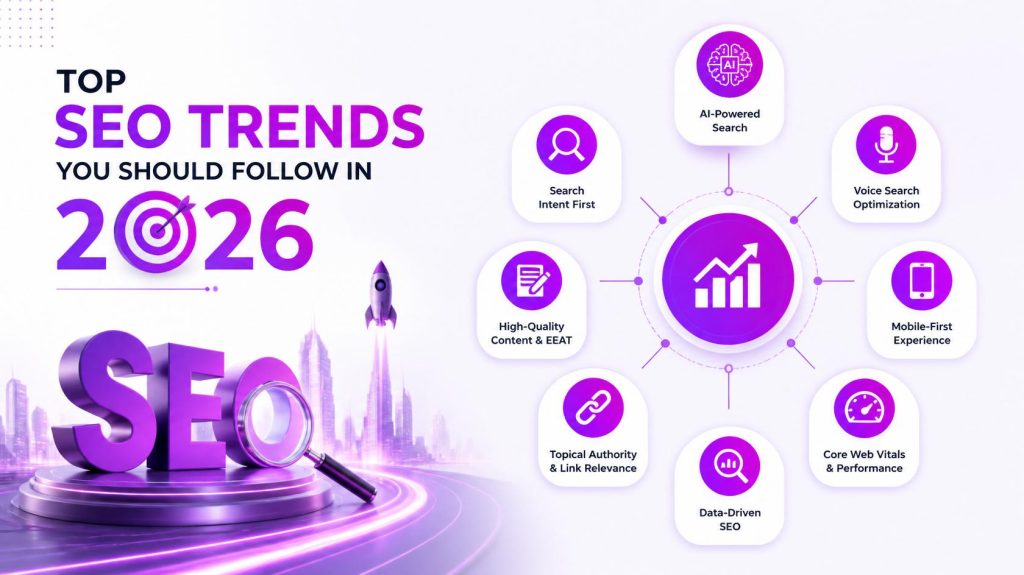
Top SEO Trends You Should Follow in 2026

Introduction SEO doesn’t stand still, and 2026 is proving to be one of the fastest-moving years yet. Google now answers a huge share of queries directly on the results page using AI, search behavior is shifting toward longer, conversational questions, and ranking factors like EEAT and page experience carry more weight than ever. If your SEO strategy still looks like it did three years ago, you’re likely losing visibility without even realizing it. This matters for everyone — bloggers, small business owners, marketers, and SEO professionals alike — because the businesses that adapt early consistently capture the visibility that slower-moving competitors leave behind. Understanding the top SEO trends 2026 brings isn’t optional anymore; it’s the difference between growing organic traffic and slowly losing it to competitors and AI-powered search tools. This guide walks through the twenty biggest SEO trends shaping this year, along with a best-practices checklist, common mistakes, expert tips, and answers to the questions professionals are asking most. Introduction SEO doesn’t stand still, and 2026 is proving to be one of the fastest-moving years yet. Google now answers a huge share of queries directly on the results page using AI, search behavior is shifting toward longer, conversational questions, and ranking factors like EEAT and page experience carry more weight than ever. If your SEO strategy still looks like it did three years ago, you’re likely losing visibility without even realizing it. This matters for everyone — bloggers, small business owners, marketers, and SEO professionals alike — because the businesses that adapt early consistently capture the visibility that slower-moving competitors leave behind. Understanding the top SEO trends 2026 brings isn’t optional anymore; it’s the difference between growing organic traffic and slowly losing it to competitors and AI-powered search tools. This guide walks through the twenty biggest SEO trends shaping this year, along with a best-practices checklist, common mistakes, expert tips, and answers to the questions professionals are asking most. 1. AI-Powered Search is Transforming SEO Google’s AI systems now generate direct answers — AI Overviews — above traditional organic results for a growing share of queries. Generative search increasingly synthesizes information from multiple sources instead of just linking to them. How it affects rankings: Pages written clearly, with well-sourced facts and a direct answer near the top, are more likely to be cited in AI-generated summaries. Tip: Structure key sections to answer the core question in the first sentence or two, then expand with supporting detail — this format is exactly what AI systems tend to extract and cite. 2. Search Intent Becomes More Important Matching content format to intent remains one of the highest-leverage SEO decisions you can make. Informational intent – “what is technical SEO” Commercial intent – “best SEO tools 2026” Transactional intent – “buy SEO course” Navigational intent – “Google Search Console login” Example: Targeting “SEO tools” with a product page instead of a comparison guide will likely underperform, since most searchers for that term want a comparison first. 3. EEAT Will Continue Dominating Rankings EEAT — Experience, Expertise, Authoritativeness, Trustworthiness — remains central to how Google’s quality systems evaluate content. Practical ways to improve EEAT: – Add real author bios with credentials – Cite original data, studies, or first-hand experience – Keep information accurate and regularly updated – Display clear contact and business information Pro Tip: Demonstrating genuine first-hand experience — actual photos, results, or specific details only someone who did the thing would know — has become one of the clearest EEAT signals in 2026. 4. Helpful Content Will Outrank AI Spam As generic AI-generated content floods the web, Google’s Helpful Content systems increasingly reward what mass-produced content can’t easily replicate. Original research and data Genuine case studies Unique professional insights First-hand experience Regularly refreshed, accurate information Mini case study: A niche fitness blog that replaced generic workout listicles with detailed, personally-tested routines and progress photos saw significantly stronger engagement and rankings within a few months — precisely because it couldn’t be easily copied by AI-generated competitors. 5. Semantic SEO and Topic Clusters Google increasingly understands content in terms of entities and topics rather than isolated keywords. Topical authority – Comprehensive coverage of a subject across multiple pages Entity SEO – Optimizing around real-world concepts Google’s Knowledge Graph recognizes Content clusters – Pillar pages supported by interlinked, specific subtopic articles Internal linking – Connecting related 6.Voice Search Optimization Voice queries tend to be longer, more conversational, and question-based. Target natural phrases like “how do I improve my website’s SEO” Structure content in clear question-and-answer formats Aim for featured snippets, since voice assistants often read these aloud Optimize for local, conversational queries like “where’s the closest coffee shop” 7. Mobile-First SEO Since Google indexes the mobile version of your site by default, mobile experience is non-negotiable. Fully responsive design across screen sizes Easy-to-tap buttons and readable font sizes Fast mobile load times Touch-optimized navigation and forms 8. Core Web Vitals Matter More Than Ever Largest Contentful Paint (LCP) – How quickly the main content loads Interaction to Next Paint (INP) – How responsive the page feels to user input Cumulative Layout Shift (CLS) – How visually stable the page is while loading Optimization tips: Compress images, minimize unnecessary scripts, use a reliable hosting/CDN setup, and test regularly with PageSpeed Insights. 9. Video SEO is Growing Fast YouTube SEO – Optimize titles, descriptions, and tags for search Short-form videos – Increasingly surfaced directly in search results Video schema markup – Helps search engines understand and display video content Transcripts – Improve accessibility and give search engines text to index Thumbnail optimization – Directly impacts click-through rate 10. Visual Search Optimization Google Lens – Increasingly used for product and information discovery through images Image SEO – Descriptive file names and surrounding context Alt text – Clear, accurate descriptions for accessibility and image search Compression – Keeps pages fast without sacrificing visible quality Structured data – Helps qualify images for enhanced search features 11. Zero-Click Search Optimization A growing share of searches are fully answered on

SEO

On-Page SEO vs Off-Page SEO: What’s the Difference?

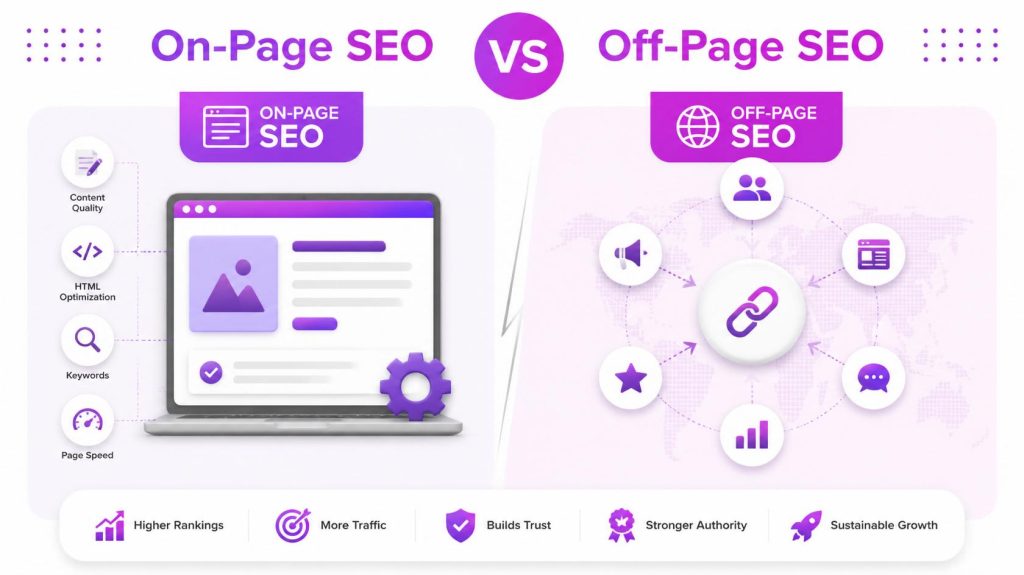
Introduction If you’ve spent any time researching SEO, you’ve probably run into two terms that seem to compete with each other: On-Page SEO and Off-Page SEO. Beginners often ask which one matters more, as if they had to pick a side. The truth is, they’re not rivals at all — they’re two halves of the same ranking equation, and Google needs both to trust your website enough to rank it at the top. In 2026, this distinction matters more than ever. Google’s ranking systems have grown far more sophisticated, weighing not just what’s written on your page, but also what the rest of the internet says about your page. Get one right and ignore the other, and you’ll hit a ranking ceiling no matter how hard you try. This complete guide breaks down on-page SEO vs off-page SEO in plain English — what each one actually means, the specific factors that make them up, practical checklists you can use today, a head-to-head comparison table, real examples of how they work together, common mistakes to avoid, the best tools for 2026, and the latest SEO trends shaping search right now. By the end, you’ll know exactly where to focus your time and effort. What is SEO? SEO (Search Engine Optimization) is the practice of improving a website so it ranks higher in search engine results, driving more organic (unpaid) traffic. Why SEO Matters Search remains one of the largest sources of website traffic for most businesses. Ranking well means consistent, high-intent visitors without paying for every click. Types of SEO SEO is generally broken into four categories: On-Page SEO – Optimizations made directly on your website’s pages. Off-Page SEO – Actions taken outside your website to build authority and trust. Technical SEO – The backend health of your site that affects crawling and indexing. Local SEO – Optimization for location-based searches, like “near me” queries. How Google Ranks Websites Google’s systems crawl, index, and then rank pages using hundreds of signals — relevance to the query, content quality, technical health, user experience, and the authority of the site and its backlink profile. On-page and off-page SEO each feed directly into different parts of this process, which is exactly why understanding both is essential. Types of SEO While this guide focuses on the on-page vs off-page comparison, it helps to see how all four types connect: Type What It Covers On-Page SEO Content, HTML elements, site structure Off-Page SEO Backlinks, brand signals, external authority Technical SEO Crawlability, indexing, site speed, security Local SEO Google Business Profile, local citations, reviews Technical SEO is often considered a subset of on-page SEO since it involves your own website, while local SEO borrows elements from both on-page (your Google Business Profile content) and off-page (local citations and reviews). What is On-Page SEO? On-page SEO refers to everything you can directly control and optimize within your own website — your content, HTML tags, internal structure, and technical setup. Example: Optimizing a blog post’s title tag, headings, and internal links so it clearly targets a specific keyword and search intent. Benefits of On-Page SEO Full control — no dependency on outside websites Improves relevance for target keywords Enhances user experience and readability Increases chances of earning featured snippets Provides the foundation that makes off-page efforts effective Important On-Page SEO Factors Keyword Research Identify the exact terms your audience searches for, balancing search volume with realistic ranking difficulty. Search Intent Match your content format — guide, comparison, product page, listicle — to what’s already ranking for your target keyword. Title Tags Keep titles under 60 characters, with your focus keyword placed naturally near the front. Meta Descriptions 160 character summary that earns the click, even though it isn’t a direct ranking factor. Header Tags Use one H1, followed by a logical H2/H3 hierarchy that organizes your content clearly for both readers and search engines. URL Structure Keep URLs short, descriptive, and keyword-relevant (e.g., /on-page-seo-vs-off-page-seo). Internal Linking Link to related pages on your own site using descriptive anchor text, helping both users and Google discover more content. External Linking Link out to authoritative, trustworthy sources to support your claims and strengthen credibility. ☐ Focus keyword in title tag, URL, H1, and first 100 words ☐ Compelling meta description with focus keyword ☐ Logical H2/H3 structure ☐ Natural keyword placement (no stuffing) ☐ Internal links to relevant pages ☐ External links to authoritative sources ☐ Optimized images with alt text ☐ Schema markup implemented ☐ Fast page speed and healthy Core Web Vitals ☐ Mobile-friendly, responsive layout What is Off-Page SEO? Off-page SEO refers to actions taken outside your own website that influence how search engines and users perceive its authority, relevance, and trustworthiness. Example: Earning a backlink from a respected industry publication after they cite your original research. Why Off-Page SEO Matters Google treats external signals — especially backlinks — as votes of confidence. A page can be perfectly optimized on-page and still struggle to rank in a competitive niche without sufficient off-page authority. Benefits of Off-Page SEO Builds domain and page authority Increases referral traffic from other sites Strengthens brand visibility and trust Helps competitive keywords rank that on-page work alone can’t unlock Important Off-Page SEO Factors Backlinks, Quality Links & Natural Links Links from other websites remain one of the strongest off-page ranking signals — but quality and relevance matter far more than sheer quantity. Guest Posting Writing articles for other reputable sites in your niche, typically earning a link back to your own site. Digital PR & Press Releases Getting featured in news outlets or industry publications to build authority and visibility at scale. Brand Mentions Even unlinked mentions of your brand name across the web contribute to authority and entity recognition. Influencer Marketing & Social Media Marketing Partnering with niche influencers and maintaining active social profiles to expand reach and indirect authority signals. Social Signals Shares, likes, and engagement don’t directly boost rankings but strongly support visibility and link-earning potential. Forum, Quora & Reddit Marketing

SEO

How to Rank #1 on Google: Proven SEO Strategies

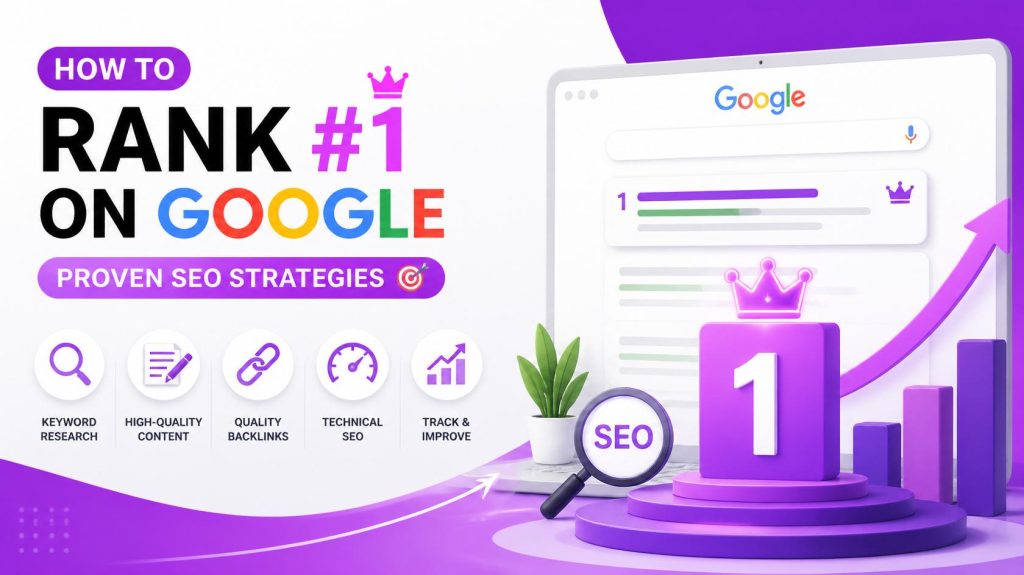
Introduction Only one website can hold the #1 spot on Google for any given search term — and it captures nearly a third of all clicks for that query. Everyone else, no matter how good their product or content is, fights over the scraps. That single fact is why how to rank #1 on Google is one of the most searched, most valuable questions in digital marketing. Here’s the hard truth: most websites never get there. Not because their content is bad, but because they’re missing pieces of the puzzle — weak technical foundations, unclear search intent targeting, thin backlink profiles, or content that reads like it was written for robots instead of people. Google’s own systems are now explicitly built to reward the opposite: genuinely helpful content, backed by real EEAT (Experience, Expertise, Authoritativeness, Trustworthiness), delivered on a fast, mobile-friendly, technically sound website. In this guide, you’ll learn exactly what it takes to compete for that top spot in 2026 — from the fundamentals of how Google’s algorithm works, to 25 proven, actionable SEO strategies, complete on-page, off-page, and technical checklists, the best SEO tools available today, the most common mistakes holding websites back, and where SEO is heading next with AI-powered search. By the end, you’ll have a clear, practical roadmap you can start applying today. What Does Ranking #1 on Google Mean? Before chasing the top spot, it helps to understand exactly what “ranking #1” looks like on a modern search results page (SERP), because Google’s results page today looks very different from a decade ago. Organic Results – The traditional, unpaid list of ranked web pages. This is what most people mean by “SEO rankings.” Paid Ads – Sponsored listings at the top or bottom of the page, marked “Sponsored.” These are bought, not earned, and operate separately from organic SEO. Featured Snippets – A highlighted answer box (sometimes called “position zero”) that appears above the standard organic results, pulled directly from a well-structured page. Knowledge Panel – An information box, usually on the right side, summarizing facts about a well-known entity, brand, or person. AI Overviews – Google’s AI-generated summary that answers a query directly at the top of the page, often citing multiple sources. People Also Ask (PAA) – An expandable box of related questions, offering another major opportunity to appear in search results beyond the standard #1 spot. Ranking #1 today doesn’t just mean owning the top blue link — it increasingly means being present across several of these formats: the organic result, the featured snippet, and the AI Overview citation, all for the same query. How Google’s Ranking Algorithm Works Google’s algorithm is not one single formula. It’s a combination of hundreds of interconnected systems working together. Understanding the basic pipeline helps you optimize more effectively. Crawling – Googlebot discovers your pages by following links and reading your XML sitemap. Indexing – Your content is analyzed and stored in Google’s massive database, the Index. Ranking – When someone searches, Google’s algorithms sort indexed pages using hundreds of ranking signals. Core Ranking Factors Search Intent – Does your page match what the searcher actually wants (informational, navigational, transactional, or commercial investigation)? Relevance – How closely does your content’s topic and language match the query? Authority – Does your site and page demonstrate trustworthiness through backlinks, citations, and reputation? Quality Signals – Depth, accuracy, originality, and helpfulness of the content. User Experience – Page speed, mobile-friendliness, and Core Web Vitals. Freshness – Recently updated or published content often gets a temporary boost for time-sensitive queries. Pro Tip: Google’s Helpful Content system specifically evaluates whether content was created primarily to help people, or primarily to attract search traffic. Writing for your reader first is now a ranking strategy, not just good ethics. Why Most Websites Fail to Rank Industry studies consistently show that the majority of new pages never reach the first page of Google, and a large share never earn a single backlink at all. This isn’t because SEO is impossible — it’s because most websites make the same avoidable mistakes: They target keywords that are far too competitive for a brand-new domain. They publish content that technically mentions a topic but doesn’t actually answer the searcher’s question in depth. They ignore technical health, so even great content never gets properly crawled or indexed. They give up after a few weeks, when SEO results typically take months to materialize. Understanding this pattern is half the battle. The other half is applying the proven strategies below, consistently, over time. Top 15 Proven SEO Strategies to Rank #1 1. Keyword Research Identify what your audience is actually typing into Google. Use tools to find a mix of high-volume and long-tail keywords. Example: Instead of “SEO,” target “how to rank #1 on Google for small business.” Common mistake: Chasing only broad, highly competitive keywords with no realistic path to ranking. 2. Search Intent Optimization Match your content format to intent. If the top results are all listicles, a single-product page probably won’t rank. Best practice: Always study the current top 10 results before writing. 3. Create Helpful Content Write content that genuinely solves the reader’s problem, not content built purely to satisfy an algorithm. Tip: Ask “would this page still be useful if search engines didn’t exist?” 4. Optimize Title Tags Keep titles under 60 characters, place your focus keyword near the front, and make it compelling enough to earn clicks. Mistake to avoid: Duplicate title tags across multiple pages. 5. Write Better Meta Descriptions A strong meta description (under 155 characters) won’t directly boost rankings but significantly improves click-through rate, an important secondary signal. 6. Improve Page Speed Compress images, use caching, and minimize unnecessary scripts. Tool tip: Test with PageSpeed Insights and fix the highest-impact issues first. 7. Mobile Optimization Since Google uses mobile-first indexing, your mobile experience is what actually gets evaluated for ranking, not your desktop version. 8. Core Web Vitals Optimize for Largest Contentful Paint (loading), Interaction to Next Paint (responsiveness),

SEO

The Complete SEO Guide for Beginners (2026)

Introduction Picture this: you just published a beautiful website. The design is clean, the copy is sharp, and you’re proud of what you built. A week goes by. Then a month. And… nothing. No visitors, no leads, no sales. Sound familiar? This is the moment when almost every website owner discovers the same truth — having a website isn’t enough. You need people to find it. That’s where SEO (Search Engine Optimization) comes in, and it’s exactly why you’re reading this SEO guide for beginners. Google has changed dramatically over the past few years. Between AI Overviews, zero-click searches, and increasingly sophisticated ranking systems, many beginners wonder: “Does SEO even work anymore in 2026?” The short answer is yes — SEO is more important than ever. It has simply evolved. Search engines today reward websites that genuinely help people, load fast, work perfectly on mobile, and demonstrate real expertise. The tactics that used to work — stuffing keywords, buying spammy links — no longer do. But the fundamentals of Search Engine Optimization remain the same: understand what your audience is searching for, and give them the best possible answer. This complete beginner SEO guide will walk you through everything — from the basics of what SEO is, to on-page, off-page, technical, and local SEO, to keyword research, AI search optimization, and a step-by-step roadmap you can start using today. No jargon overload, no fluff — just a clear path from zero SEO knowledge to confidently optimizing your own website. Let’s get started. What is SEO? SEO stands for Search Engine Optimization — the practice of improving your website so it ranks higher in search engines like Google, Bing, and increasingly, AI-powered search tools like Google AI Overviews and Perplexity. How SEO Works When someone types a question into Google, the search engine scans billions of web pages and picks out the ones it believes answer that question best. SEO is the set of strategies you use to convince Google (and the searcher) that your page is the best answer. Why SEO Matters It’s the number one driver of website traffic for most businesses. It builds long-term, compounding results (unlike ads, which stop the moment you stop paying). It builds trust — users trust organic results more than paid ads. It’s cost-effective compared to paid advertising over time. Benefits of SEO Increased organic visibility Higher-quality, intent-driven traffic Better user experience Long-term brand authority Higher conversion rates Lorem ipsum dolor sit amet, consectetur adipiscing elit. Ut elit tellus, luctus nec ullamcorper mattis, pulvinar dapibus leo. How Search Engines Work To understand Search Engine Optimization, you first need to understand how search engines actually operate. It comes down to three core stages: Crawling – Search engines use automated bots (called “spiders” or “crawlers”) that travel across the web, following links from page to page, discovering new and updated content. Indexing – Once a page is crawled, Google analyzes its content and stores it in a massive database called the index — essentially a giant library of the internet. Ranking – When someone searches a query, Google’s algorithm scans the index and ranks pages based on hundreds of factors — relevance, quality, authority, page experience, and search intent. Simple Workflow User searches a query        ↓Google checks the Index        ↓Algorithm ranks matching pages        ↓Best-matching pages appear in results Search Intent Every search has an underlying intent. Understanding it is one of the most overlooked parts of SEO: Informational – “what is SEO” Navigational – “Google Search Console login” Transactional – “buy SEO course” Commercial Investigation – “best SEO tools 2026” Google Algorithm Google’s algorithm isn’t one single formula — it’s a combination of hundreds of interconnected systems (helpful content systems, spam-detection systems, page experience signals, and AI-based understanding models) that work together to evaluate quality and relevance. Types of SEO There are four major categories every beginner should understand: On-Page, Off-Page, Technical, and Local SEO. On-Page SEO On-page SEO refers to everything you control directly on your web pages. Title Tags – The clickable headline shown in search results. Keep it under 60 characters and include your primary keyword near the front. Meta Description – A short summary under the title that influences click-through rate. Keep it under 155 characters. URLs – Short, descriptive, keyword-rich URLs perform better (e.g., /seo-guide-for-beginners). Headings – Use one H1 per page, and a logical H2/H3 structure to organize content. Keyword Placement – Use your primary keyword naturally in the title, first paragraph, a subheading, and throughout the body — never forced. Internal Links – Links to other pages on your own site that help users (and Google) discover more content. External Links – Links to trustworthy, authoritative outside sources that support your claims. Image Optimization – Compressed, appropriately named image files. Alt Text – Descriptive text for images that helps accessibility and image search rankings. Schema Markup – Structured data that helps search engines understand your content and can unlock rich snippets. Common Mistake: Cramming your keyword into every sentence. Google’s systems are built to detect and penalize unnatural keyword stuffing. Off-Page SEO Off-page SEO covers everything that happens outside your website but still affects your rankings. Backlinks – Links from other websites pointing to yours. They act like votes of confidence. Guest Posting – Writing content for other reputable websites in exchange for a backlink and exposure. Digital PR – Getting featured in online publications, news sites, or industry blogs. Social Signals – Shares, likes, and mentions across social platforms (indirect ranking influence, but great for visibility). Brand Mentions – Even unlinked mentions of your brand name can build authority signals. Link Building – The active process of earning quality backlinks through outreach, partnerships, and great content. Technical SEO Technical SEO ensures search engines can properly crawl, understand, and index your site. XML Sitemap – A file listing all important pages, helping search engines discover your content faster. txt – A file that tells search engine bots which pages they can or cannot crawl. HTTPS – Secure

Affiliate Marketing Strategies

Best Affiliate Marketing Programs to Join in 2026

Best Affiliate Marketing Programs to Join in 2026: Top High-Paying Networks for Beginners & Experts Affiliate marketing continues to expand rapidly in 2026, as more brands shift their marketing budgets toward performance-based partnerships instead of traditional advertising. But here’s the part beginners often overlook: your success depends heavily on choosing the right affiliate program, not just creating great content. The best affiliate marketing programs 2026 has to offer vary widely in commission structure, product quality, and long-term earning potential. Picking the wrong one can mean months of effort for minimal reward, while the right program can turn consistent content into steady passive income. In this guide, you’ll learn exactly what an affiliate program is, how to evaluate one before joining, a detailed breakdown of fifteen top programs across niches, the highest-paying categories in 2026, beginner-friendly options, recurring commission opportunities, and a complete step-by-step guide to getting started. Let’s find the right programs for your affiliate marketing journey.,,,,,,,,,,,,,,,,,, How to Choose the Best Affiliate Program Not all programs are created equal. Before joining, evaluate: Commission percentage – Higher isn’t always better if the product rarely sells. Cookie duration – Longer windows give you credit even for delayed purchases. Product quality – Poor products lead to refunds, complaints, and lost trust. Brand reputation – Well-known, trusted brands typically convert better. Conversion rate – A lower commission on a high-converting product can outperform a high commission on a poorly converting one. Payment methods – Confirm the program supports a payment method that works for you. Minimum payout threshold – Lower thresholds mean faster access to your earnings. Affiliate support – Responsive program managers can help resolve tracking or payment issues quickly. Tracking dashboard – Clear, reliable reporting helps you optimize your strategy. Recurring commissions – Subscription-based products can create predictable, compounding monthly income. Top 15 Best Affiliate Marketing Programs to Join in 2026 1. Amazon Associates Overview: One of the largest and most recognized affiliate programs, covering millions of physical products. Commission Rate: Typically 1–10%, varying by product category. Cookie Duration: 24 hours. Payment Method: Direct deposit, check, or Amazon gift card. Best For: Beginners and product review or listicle content. Pros: Huge product catalog, high brand trust, easy approval. Cons: Short cookie duration, relatively low commission rates. Official Website: affiliate-program.amazon.com Why You Should Join: Its brand recognition alone often boosts click-through and conversion rates for beginners. 2. ClickBank Overview: A digital marketplace focused on info products, courses, and software. Commission Rate: Often 10–75%, depending on the vendor. Cookie Duration: Commonly around 60 days. Payment Method: Direct deposit, check. Best For: Digital products and niche info-product marketers. Pros: High commission potential, wide range of digital products. Cons: Product quality varies significantly between vendors. Official Website: clickbank.com Why You Should Join: Strong option for affiliates in self-improvement, health, or online education niches. 3. CJ Affiliate Overview: A long-established affiliate network connecting affiliates with major global brands. Commission Rate: Varies by individual brand. Cookie Duration: Varies by brand. Payment Method: Direct deposit. Best For: Established publishers seeking access to big-name brands. Pros: Access to reputable, well-known merchants. Cons: Some brands have stricter approval requirements. Official Website: cj.com Why You Should Join: A reliable network for scaling once you have consistent traffic and content. 4. ShareASale Overview: A popular network hosting thousands of small-to-midsize merchant programs. Commission Rate: Varies by merchant. Cookie Duration: Varies by merchant. Payment Method: Direct deposit, check. Best For: Niche bloggers seeking diverse brand options. Pros: Large merchant selection, beginner-friendly interface. Cons: Commission and cookie terms vary widely, requiring research per merchant. Official Website: shareasale.com Why You Should Join: Ideal for finding niche-specific brands beyond mainstream retailers. 5. Impact Overview: A modern affiliate platform used by many well-known consumer and SaaS brands. Commission Rate: Varies by brand. Cookie Duration: Varies by brand. Payment Method: Direct deposit, PayPal. Best For: Affiliates promoting SaaS, apparel, or travel brands. Pros: Clean interface, strong brand partnerships. Cons: Some programs require an established audience for approval. Official Website: impact.com Why You Should Join: A strong option for affiliates looking to diversify beyond traditional retail products. 6. PartnerStack Overview: A network specializing in B2B and SaaS affiliate and partner programs. Commission Rate: Varies by brand, often recurring. Cookie Duration: Varies by brand. Payment Method: Direct deposit, PayPal. Best For: Affiliates in the software, productivity, or business tools space. Pros: Strong recurring commission opportunities. Cons: Smaller product catalog compared to general retail networks. Official Website: partnerstack.com Why You Should Join: Excellent for building predictable, recurring monthly income through SaaS referrals. 7. Fiverr Affiliates Overview: The affiliate program for the popular freelance services marketplace. Commission Rate: Flat fee per qualified referral, or hybrid options depending on the campaign. Cookie Duration: Typically 30 days. Payment Method: PayPal, direct deposit. Best For: Content creators in business, freelancing, or entrepreneurship niches. Pros: Recognizable brand, relevant to a broad freelance and business audience. Cons: Commission structures can be less straightforward than simple percentage models. Official Website: affiliates.fiverr.com Why You Should Join: A natural fit for content around freelancing, side hustles, or small business tools. 8. Bluehost Overview: A widely used web hosting provider popular among new bloggers. Commission Rate: Flat fee per qualified sign-up. Cookie Duration: Around 90 days. Payment Method: PayPal, check. Best For: Blogging, WordPress, and “how to start a website” content. Pros: High demand from beginner bloggers, long cookie duration. Cons: Highly competitive niche with many established affiliates. Official Website: bluehost.com 9. Hostinger Overview: A budget-friendly hosting provider with a popular affiliate program. Commission Rate: Competitive percentage-based commissions, up to a high percentage on certain plans. Cookie Duration: Around 30 days. Payment Method: PayPal, wire transfer. Best For: Budget hosting content and international audiences. Pros: Strong commission potential, globally recognized brand. Cons: Requires clear disclosure since pricing promotions change frequently. Official Website: hostinger.com Why You Should Join: A strong alternative or complement to Bluehost for hosting-focused content. 10. Semrush Overview: A leading SEO and digital marketing software suite. Commission Rate: Recurring, high-value commissions per qualifying subscription. Cookie Duration: Extended duration,

Scroll to Top