
Introduction
A few years ago, “AI tools for digital marketing” meant a handful of niche chatbots and a couple of clunky automation plugins. In 2026, AI sits at the center of almost every serious marketing stack — drafting content, optimizing it for search, designing the visuals around it, automating the campaigns that promote it, and analyzing the results, often before a human even opens their laptop.
Marketers are not adopting AI because it is trendy. They are adopting it because teams using the right AI tools are publishing more content, ranking faster, running smarter ad campaigns, and responding to customers quicker than teams still doing everything manually. The gap between AI-assisted teams and everyone else keeps widening every quarter.
That is exactly why this guide exists. Below, you will find a detailed breakdown of the 15 AI tools every digital marketer should know in 2026 — what each one does, who it is genuinely best for, its real strengths and weaknesses, realistic pricing expectations, and a practical use case for each. You will also get a side-by-side comparison table, guidance on choosing the right tool for your situation, the biggest risks to watch for, expert tips, common mistakes, and answers to the questions marketers ask most.
What Are AI Marketing Tools?
AI marketing tools are software platforms that use artificial intelligence — most commonly machine learning and natural language processing — to handle marketing tasks that would otherwise require significant manual time and effort.
Artificial intelligence, in this context, simply means software that can learn patterns from data and make decisions or generate content without being explicitly programmed for every single scenario. Machine learning is the technique that allows these systems to improve their predictions and outputs as they process more data over time. Automation is what ties it all together in practice: once an AI model can reliably perform a task, that task can run on autopilot, with humans setting the rules and reviewing the results rather than doing the work line by line.
This matters in digital marketing because the field is fundamentally about volume and timing — producing enough content, reaching the right audience at the right moment, and reacting to results quickly. AI tools make that volume and speed achievable without proportionally larger teams or budgets, which is exactly why they have moved from “nice to have” to “essential” so quickly.
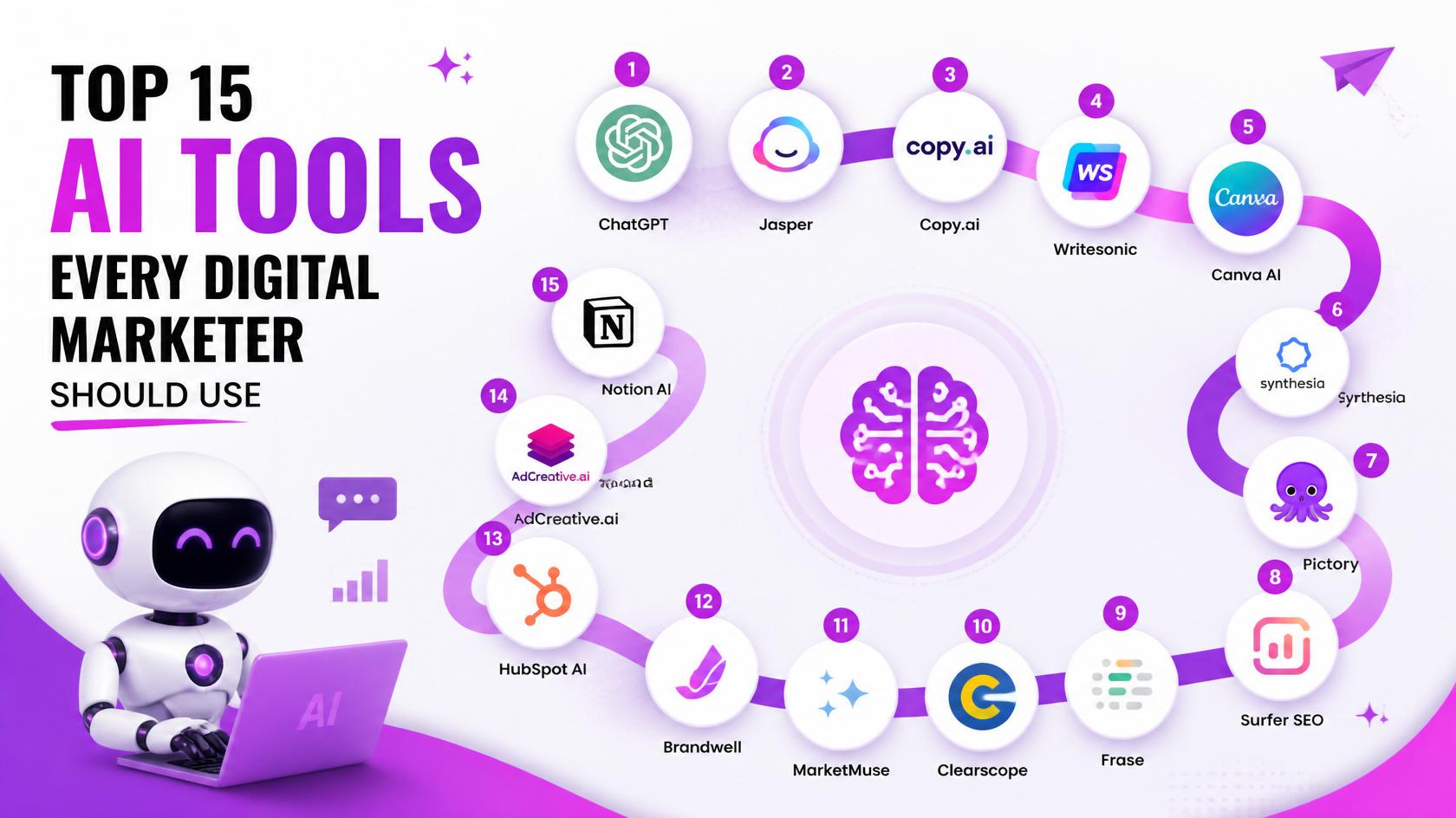
Top 15 AI Tools Every Digital Marketer Should Use
Each tool below is broken down by overview, who it is best for, main features, benefits, pros and cons, pricing, a real-world use case, what makes it stand out, and an overall rating out of 10.
1. ChatGPT
Overview: ChatGPT, built by OpenAI, is the conversational AI that arguably kicked off the modern AI marketing boom. It generates text, brainstorms ideas, writes drafts, and even analyzes data when paired with its advanced features.
Best For: Marketers, freelancers, and content teams who need fast, flexible writing and ideation support.
Main Features: Multi-turn conversational chat, custom GPTs for specific workflows, image input/analysis, and a code interpreter for basic data tasks.
Benefits: Speeds up brainstorming, first drafts, ad copy variations, and meeting prep, freeing up hours every week.
Pros:
- Extremely versatile across writing tasks
- Huge ecosystem of custom GPTs and plugins
- Easy for beginners to start using immediately
Cons:
- Requires fact-checking before publishing
- Generic tone unless carefully prompted
Pricing: Free tier available; paid Plus and Team plans unlock advanced features and higher usage limits.
Real-World Use Case: A small agency uses ChatGPT to draft ten blog outlines and twenty ad copy variations in a single afternoon, then has an editor refine the best ones.
Why It Stands Out: No other tool matches its sheer flexibility across writing, brainstorming, and lightweight analysis in one chat window.
Rating: 9/10
2. Google Gemini
Overview: Gemini is Google’s multimodal AI assistant, built to work seamlessly with Search, Workspace, and Google Ads.
Best For: Marketers already running campaigns inside the Google ecosystem.
Main Features: Multimodal input (text, image, and video), deep Workspace integration, and real-time grounding through Google Search.
Benefits: Keeps research, copywriting, and visual ideation inside the same tools marketers already use for ads and analytics.
Pros:
- Strong multimodal capabilities
- Tight integration with Google Ads and Analytics workflows
- Useful for real-time, search-grounded answers
Cons:
- Smaller third-party plugin ecosystem than ChatGPT
- Some advanced features still rolling out region by region
Pricing: Free tier available; Gemini Advanced is offered through a paid subscription.
Real-World Use Case: A performance marketer uses Gemini to draft Google Ads copy and generate matching visual concepts in the same session.
Why It Stands Out: Its native integration with Google’s own advertising and search infrastructure is unmatched by competitors.
Rating: 8.7/10
3. Claude AI
Overview: Claude, developed by Anthropic, is known for high-quality long-form writing, careful reasoning, and the ability to work with very long documents at once.
Best For: Teams producing in-depth content, strategy documents, or research-heavy material.
Main Features: A large context window for analyzing long documents, nuanced tone control, and strong document summarization.
Benefits: Produces long-form drafts that typically need less heavy editing than other AI writers.
Pros:
- Excellent writing quality and reasoning
- Handles long documents and research well
- Strong at maintaining a consistent brand tone
Cons:
- No native image generation
- Smaller plugin/app ecosystem than ChatGPT
Pricing: Free tier available; paid Pro and Team plans offer higher usage limits.
Real-World Use Case: A content strategist feeds Claude a full competitor content audit and asks it to draft a pillar-page outline that fills the gaps.
Why It Stands Out: Its reasoning quality and ability to handle long, nuanced writing tasks set it apart for serious content work.
Rating: 9/10
4. Jasper AI
Overview: Jasper is a content generation platform built specifically for marketing teams, with a strong focus on maintaining brand voice across large volumes of content.
Best For: Marketing teams and agencies managing multiple brand voices at scale.
Main Features: Trainable brand voice profiles, campaign-specific templates, and built-in team collaboration tools.
Benefits: Keeps content consistent across dozens of writers and campaigns without constant manual review.
Pros:
- Strong brand voice consistency
- Built specifically for marketing workflows
- Good collaboration features for teams
Cons:
- Pricier than general-purpose chat AI tools
- Less flexible for non-marketing writing tasks
Pricing: Paid plans only; no permanent free tier.
Real-World Use Case: An agency managing five client brands trains separate Jasper voice profiles to keep each brand’s content distinct.
Why It Stands Out: It is purpose-built for marketing teams rather than adapted from a general chatbot.
Rating: 8.5/10
6. Semrush AI
Overview: Semrush is a comprehensive SEO and competitive research suite that has woven AI throughout its keyword research, content, and reporting tools.
Best For: Agencies and in-house SEO teams managing multiple client sites.
Main Features: An AI writing assistant, the Keyword Magic Tool, and AI-assisted competitive analysis.
Benefits: Combines keyword research, competitor tracking, and content creation inside a single platform.
Pros:
- Extremely comprehensive toolkit
- Strong reporting and client-facing dashboards
Cons:
- Steeper learning curve for beginners
- Can feel like overkill for very small sites
Pricing: Paid plans with a limited free trial.
Real-World Use Case: An SEO consultant runs a full site audit, then uses Semrush’s AI content brief generator to plan the next quarter’s articles.
Why It Stands Out: Few tools match the sheer breadth of integrated SEO and AI features in one subscription.
Rating: 9/10
7. Ahrefs AI Features
Overview: Ahrefs built its reputation on backlink analysis and has since added AI-assisted content grading and keyword clustering on top of its core data.
Best For: Technical SEOs and link-building specialists.
Main Features: Site Explorer, Content Explorer, and AI-assisted content grading and topic clustering.
Benefits: Surfaces link-building opportunities and content gaps backed by one of the largest backlink databases available.
Pros:
- Best-in-class backlink data
- Powerful competitor gap analysis
Cons:
- AI writing features are less developed than dedicated content tools
Pricing: Paid plans, with some free tools available.
Real-World Use Case: An SEO team runs a competitor backlink gap analysis, then uses AI-suggested topic clusters to plan outreach content.
Why It Stands Out: Its backlink data depth remains a benchmark in the industry.
Rating: 8.7/10
8. Frase
Overview: Frase specializes in generating SEO content briefs by analyzing top-ranking pages for a given query, then pairs that with an AI writer.
Best For: Content teams and agencies producing SEO briefs at scale for writers.
Main Features: A SERP-based brief generator, an AI writing assistant, and content scoring.
Benefits: Cuts brief-creation time dramatically when assigning articles to freelance or in-house writers.
Pros:
- Affordable for content-heavy teams
- Briefs are closely tied to actual search intent
Cons:
- AI-written drafts usually need significant editing
Pricing: Paid tiers with a free trial.
Real-World Use Case: An agency generates ready-to-use content briefs for ten freelance writers in under an hour.
Why It Stands Out: Its focus on search-intent-driven briefs makes it a favorite among content managers.
Rating: 8.3/10
9. Canva AI
Overview: Canva has built AI features like Magic Design and Magic Write directly into its already popular drag-and-drop design platform.
Best For: Marketers and social media managers without formal design training.
Main Features: Magic Design templates, AI text-to-image generation, and one-click background removal.
Benefits: Produces polished social graphics, ad creatives, and presentations in minutes rather than hours.
Pros:
- Very easy to use for non-designers
- Huge library of templates and brand kits
Cons:
- Less granular design control than professional tools like Photoshop
Pricing: Free tier available; Canva Pro unlocks advanced AI features.
Real-World Use Case: A solo social media manager produces a full week of branded post graphics in a single sitting.
Why It Stands Out: Its accessibility makes professional-looking design possible for anyone, regardless of design skill.
Rating: 9/10
11. Adobe Firefly
Overview: Firefly is Adobe’s generative AI, built directly into Creative Cloud apps like Photoshop and Illustrator.
Best For: Designers and marketers already working inside the Adobe ecosystem.
Main Features: Generative fill, text-to-image generation, and direct integration inside Photoshop and other Creative Cloud apps.
Benefits: Speeds up creative production without forcing teams to leave their existing design workflow.
Pros:
- Seamless integration with professional design tools
- Built with commercial use in mind
Cons:
- Requires an existing Adobe subscription to get full value
Pricing: Included in select Creative Cloud plans, with additional generative credits available.
Real-World Use Case: A designer extends and edits campaign photography directly inside Photoshop using generative fill.
Why It Stands Out: Its integration with professional-grade design software is unmatched by standalone AI image tools.
Rating: 8.6/10
12. Notion AI
Overview: Notion AI adds writing assistance and summarization directly into Notion’s all-in-one workspace and project management platform.
Best For: Teams that plan campaigns, content calendars, and documentation in one shared space.
Main Features: AI-powered summarization, writing assistance, and database automation within Notion pages.
Benefits: Keeps campaign planning, meeting notes, and content drafts organized in a single connected workspace.
Pros:
- Combines project management and AI writing
- Useful for keeping teams aligned
Cons:
- Not a dedicated marketing or SEO tool
- AI is a feature layered on top, not the core product
Pricing: Free tier available; the AI add-on requires a paid plan.
Real-World Use Case: A marketing team manages its entire content calendar in Notion, using AI to summarize meeting notes into action items.
Why It Stands Out: It blends day-to-day workspace organization with AI assistance in one connected tool.
Rating: 8.2/10
13. Grammarly
Overview: Grammarly has evolved from a grammar checker into a full AI writing assistant that checks tone, clarity, and correctness, with generative features built in.
Best For: Anyone publishing written content across blogs, emails, and social media.
Main Features: Grammar and tone checking, generative AI drafting, and brand tone profiles for business accounts.
Benefits: Catches errors and tone mismatches before content goes live, protecting brand credibility.
Pros:
- Works across browsers, email, and most writing apps
- Easy for any team member to adopt
Cons:
- Generative writing features are less powerful than dedicated chat AI tools
Pricing: Free tier available; Premium and Business plans add advanced features.
Real-World Use Case: A marketing team runs every blog post and email campaign through Grammarly as a final polish before publishing.
Why It Stands Out: Its near-universal integration into everyday writing tools makes it effortless to use consistently.
Rating: 8.8/10
14. Zapier AI
Overview: Zapier connects thousands of apps together, and its AI features now help build and suggest automated workflows, called Zaps, without writing code.
Best For: Marketers who want to automate repetitive tasks across multiple tools.
Main Features: An AI workflow builder, a vast library of app integrations, and AI-suggested automations.
Benefits: Eliminates manual data entry and handoffs between marketing platforms like ad accounts, CRMs, and email tools.
Pros:
- Huge library of supported integrations
- No-code automation accessible to non-developers
Cons:
- Complex, high-volume workflows can become costly
Pricing: Free tier available; paid plans scale with usage and complexity.
Real-World Use Case: A business automatically routes new ad leads into its CRM and triggers a personalized welcome email sequence.
Why It Stands Out: Its combination of integration breadth and AI-assisted workflow suggestions saves significant setup time.
Rating: 8.7/10
15. HubSpot AI
Overview: HubSpot is a CRM and marketing automation platform that has embedded AI throughout its content, sales, and reporting tools.
Best For: Teams that want CRM, marketing automation, and AI insights unified in one platform.
Main Features: An AI content assistant, predictive lead scoring, an AI chatbot builder, and automated campaign workflows.
Benefits: Unifies marketing, sales, and AI-driven insights so leads move smoothly from first visit to closed deal.
Pros:
- All-in-one platform covering CRM, marketing, and AI
- Strong reporting and analytics
Cons:
- Costs can climb quickly as contacts and features scale
Pricing: Free CRM tier available; paid Marketing Hub tiers unlock advanced AI and automation features.
Real-World Use Case: A business nurtures a lead automatically from their first website visit all the way through to a sales handoff, using AI scoring to flag when they’re ready to buy.
Why It Stands Out: AI is embedded throughout the entire funnel rather than bolted on as a separate feature.
Rating: 9/10
How to Choose the Right AI Tool
With this many strong options, the right choice depends less on which tool is “best” overall and more on which tool fits your specific situation. Weigh these factors before committing:
- Budget: Choose tools with transparent pricing and a free tier or trial so you can validate value before scaling spend.
- Business Size: Solo creators and small teams often benefit most from all-in-one, easy tools like ChatGPT or Canva, while larger teams may need platform-grade tools like Semrush or HubSpot.
- Goals: Match the tool to the specific outcome you need — content speed, SEO rankings, visual design, or automation — rather than chasing every feature at once.
- Ease of Use: A powerful tool your team won’t actually use consistently delivers less value than a simpler one that gets adopted.
- Integrations: Check whether the tool connects with your existing CRM, website platform, or ad accounts before committing.
- Scalability: Make sure the tool can grow with your content volume, team size, or campaign complexity without forcing a painful migration later.
- Customer Support: Responsive support matters most when something breaks mid-campaign — check reviews for real response times, not just marketing claims.
Benefits of Using AI in Digital Marketing
When matched to the right tasks, AI delivers measurable benefits across nearly every marketing function:
- Content Creation: First drafts of blogs, emails, and ad copy can be produced in minutes rather than hours.
- SEO: Keyword research, content scoring, and technical audits move faster and surface insights humans might miss.
- Email Marketing: Personalized subject lines, send times, and offers improve open and click-through rates.
- Social Media: Scheduling, audience analysis, and trend prediction help content reach the right people at the right time.
- Analytics: Predictive models and AI reporting turn raw data into clear, actionable insight faster than manual analysis.
- PPC: AI-driven bid optimization and audience targeting reduce wasted spend on paid campaigns.
- Automation: Repetitive cross-tool tasks, like lead routing and follow-ups, run automatically once configured.
- Customer Engagement: Chatbots and personalized recommendations make customer interactions faster and more relevant.
Challenges of AI Tools
Data Privacy
Feeding customer data into AI tools raises real privacy questions. Always review a vendor’s data-handling policy and comply with regulations like GDPR or CCPA before connecting customer data.
AI Hallucinations
AI tools can confidently state inaccurate information. Every fact, statistic, or quote generated by AI should be independently verified before publishing.
Content Originality
Unedited AI content can sound generic or closely resemble other AI-generated text. A strong human editing pass is essential to keep content distinctive and on-brand.
Over-Dependence
Leaning on AI for every task can erode a team’s own strategic and creative instincts over time. Keep AI focused on execution while humans retain ownership of strategy.
Human Editing Requirements
AI output is a draft, not a finished product. Budgeting real editing time into every workflow is non-negotiable for quality and brand consistency.
Ethical Concerns
Questions around AI-generated imagery, training data, and transparency with audiences are still evolving. Disclose AI involvement where appropriate and choose vendors with clear ethical commitments.
Future of AI in Digital Marketing
The next five years will likely bring AI even deeper into the marketing function, with several trends already taking shape:
- AI Agents: Autonomous AI systems that can plan, execute, and adjust entire campaigns with minimal manual input, under human-set guardrails.
- Hyper-Personalization: Personalization moving from audience segments to individual-level experiences across every touchpoint.
- Predictive Marketing: Forecasting models that anticipate customer needs and campaign performance before launch, not just after.
- Voice Search: Content increasingly optimized to answer natural, spoken-language queries rather than typed keywords.
- Visual Search: Search behavior expanding to include image-based queries, requiring visually optimized content and metadata.
- AI Search Engines: AI-driven search experiences changing how people find information, pushing marketers to optimize for conversational, AI-generated answers.
- Generative AI: Continued advances in text, image, and video generation will keep lowering the cost and time required to produce campaign assets.
- Automation: More of the marketing funnel — from lead capture to nurturing to reporting — will run with minimal manual intervention.
The direction is clear even as specific tools keep evolving: AI is shifting from a set of standalone point solutions into an integrated layer running through nearly the entire marketing function. Marketers who build comfort with these tools now will be far better positioned for the more autonomous marketing landscape of 2030.
Expert Tips
- Start with one workflow (like first-draft writing) before adopting an entire AI stack at once.
- Always have a human editor review AI-generated content before it goes live.
- Use AI for first drafts and ideation, but keep final strategic decisions in human hands.
- Train AI writing tools on your brand voice whenever that feature is available.
- Combine an AI writer with an SEO tool like Surfer or Frase for content that is both readable and optimized.
- Fact-check every statistic or claim an AI tool generates before publishing it.
- Use AI image generators for concepting, then refine final assets with a designer for polished campaigns.
- Set clear internal guidelines for which AI tools your team can use and how outputs should be reviewed.
- Track time saved and performance lift from each AI tool, not just adoption rates, to prove ROI.
- Use AI chatbots to handle FAQs, but route complex issues to a human agent quickly.
- Automate repetitive cross-tool tasks (like lead routing) with Zapier before automating creative work.
- Repurpose long-form AI-assisted content into social posts, emails, and short videos to maximize value.
- Regularly audit AI-generated content for repetitive phrasing or generic claims that weaken your brand.
- Use predictive analytics features to prioritize high-intent leads instead of treating every lead equally.
- Revisit your AI toolset every few months, since this is one of the fastest-moving categories in software.
Common Mistakes to Avoid
- Publishing AI-generated content without any human editing or fact-checking.
- Trying to adopt every AI tool on this list at once instead of starting with one clear goal.
- Ignoring brand voice settings and letting AI output sound generic across every channel.
- Using AI-generated statistics or quotes without verifying they are accurate.
- Assuming a paid plan is always necessary before testing whether a tool actually fits your workflow.
- Letting AI chatbots handle sensitive or complex customer issues without a human fallback.
- Overlooking data privacy settings when feeding customer information into AI tools.
- Treating AI-generated images as final assets without checking commercial usage rights.
- Failing to track whether an AI tool is actually saving time or improving results.
- Letting the team’s core strategic and creative skills atrophy by over-relying on AI for every decision.
Frequently Asked Questions
- What are AI marketing tools?
AI marketing tools are software platforms that use machine learning and natural language processing to automate or enhance marketing tasks such as content writing, SEO research, social media scheduling, image generation, and customer support.
- Which AI tool is best for SEO?
Surfer SEO, Semrush, and Ahrefs are among the strongest choices for AI-assisted SEO, each offering content optimization, keyword research, and competitive analysis features.
- Is ChatGPT good for digital marketing?
Yes. ChatGPT is widely used for brainstorming, drafting blog posts and ad copy, and speeding up early-stage content creation, though output should always be reviewed and edited by a human before publishing.
- Can AI replace digital marketers?
No. AI handles repetitive, pattern-based tasks well, but strategy, brand judgment, creativity, and client relationships still require human marketers, making AI a complement to the role rather than a replacement.
- Which AI tool is best for content writing?
ChatGPT and Claude AI are popular general-purpose choices, while Jasper AI is geared specifically toward marketing teams that need consistent brand voice across many writers.
- Which AI tool is best for social media?
Canva AI is excellent for creating social graphics quickly, while tools like HubSpot AI and Zapier AI help automate scheduling and cross-platform workflows.
- Are AI tools free?
Many AI tools, including ChatGPT, Gemini, Claude, Canva, and HubSpot, offer free tiers with limited features, while advanced capabilities typically require a paid subscription.
- How does AI improve SEO?
AI improves SEO by speeding up keyword research, analyzing search intent, scoring content against top-ranking competitors, and flagging technical issues that could hold a page back in rankings.
- Is AI safe for businesses?
AI can be safe for businesses when used responsibly: review outputs for accuracy, follow data privacy regulations, and avoid feeding sensitive customer information into tools without understanding their data policies.
- Which AI tool should beginners use?
ChatGPT and Canva AI are excellent starting points for beginners thanks to their free tiers, simple interfaces, and broad usefulness across writing and design tasks.
Conclusion
AI tools have moved from optional experiments to core infrastructure for digital marketing in 2026. From ChatGPT and Claude for content, to Surfer SEO and Semrush for search visibility, to Canva and Midjourney for visuals, to Zapier and HubSpot for automation, today’s marketers have more leverage available to them than any generation before.
The marketers and businesses winning with AI are not the ones automating everything blindly — they are the ones using AI to handle volume and repetition while keeping human strategy, creativity, and judgment firmly in the driver’s seat. Start with one tool, one workflow, and one measurable goal. Expand from there as results prove themselves.